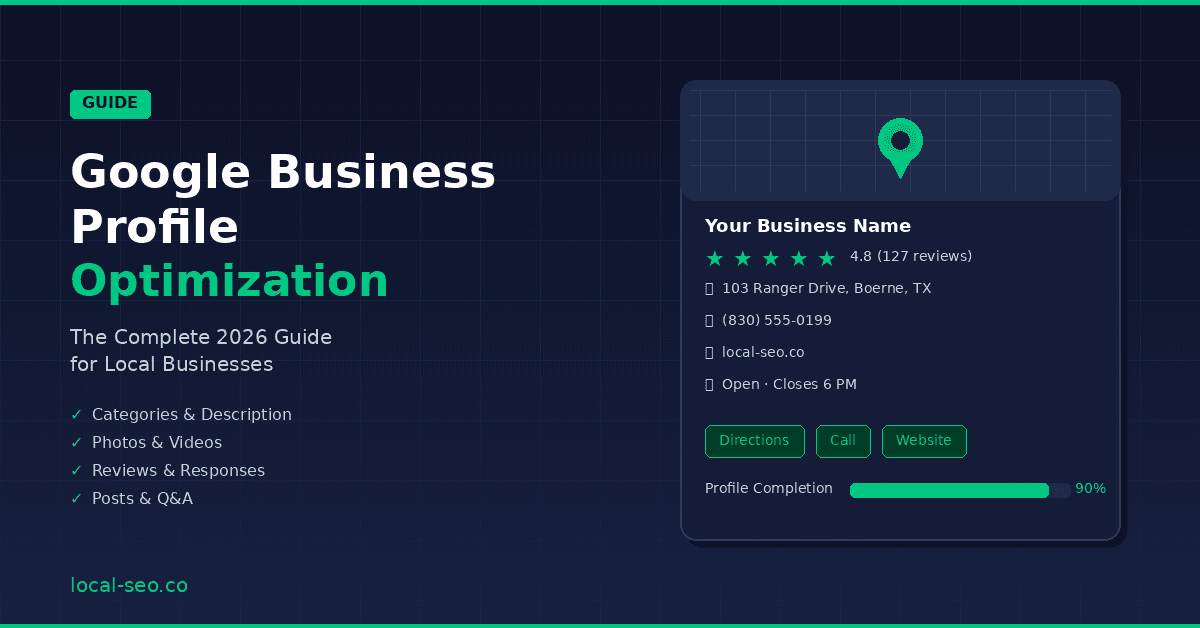
Google Business Profile Optimization: The Complete 2026 Guide for Local Businesses
Your Google Business Profile is the single most important asset in your local SEO strategy. It determines whether your business appears in the Google Maps Pack — the three local results that show up at the top of the page when someone searches for a service in their area. Those three spots capture roughly 44% of all clicks on the page. Everyone below them is fighting over scraps.
Despite how critical it is, the majority of local businesses treat their GBP as a set-it-and-forget-it listing. They claim it, add a phone number and address, maybe upload a logo, and never touch it again. That's a mistake that costs real money every single day.
This guide walks through every element of your Google Business Profile and shows you exactly how to optimize each one for maximum visibility in local search. Whether you're a restaurant, a contractor, a medical practice, or a retail shop, these principles apply universally.
Why Your Google Business Profile Matters More Than Your Website
Before we get into the specifics, it's worth understanding why GBP optimization deserves so much attention.
When someone searches for a local service — "plumber near me," "best Italian restaurant," "dentist accepting new patients" — Google's results page typically shows three things above the organic website listings: paid ads, the Map Pack (powered by Google Business Profiles), and then organic results.
The Map Pack dominates the visual real estate on both mobile and desktop. On mobile, which accounts for over 60% of local searches, the Map Pack often fills the entire screen. Users see your business name, star rating, review count, address, hours, and a photo — all before they ever reach your website.
Here's the critical insight: Google uses different ranking factors for the Map Pack than it does for organic results. Your website's domain authority and backlink profile matter less. What matters more is the information in your GBP, the quality and quantity of your reviews, how closely your business matches the searcher's query, and how close you are to the searcher's location.
That means a small local business with a perfectly optimized GBP and strong reviews can — and frequently does — outrank larger competitors with bigger websites and bigger budgets. The Map Pack is the great equalizer, but only if you take optimization seriously.
Step 1: Claim and Verify Your Profile
If you haven't already claimed your Google Business Profile, that's step zero. Go to business.google.com, search for your business, and follow the verification process. Google typically verifies by sending a postcard to your physical address with a PIN code, though phone and email verification are sometimes available.
A few important notes on verification. Use your real, legal business name — not a keyword-stuffed version. "Joe's Plumbing" is correct. "Joe's Plumbing — Best Emergency Plumber in San Antonio TX" will get your profile suspended. Google has gotten increasingly aggressive about enforcing naming guidelines, and a suspension can take weeks to resolve.
If you're a service-area business (you go to customers rather than customers coming to you), you can hide your physical address while still specifying the areas you serve. This is common for contractors, cleaning services, mobile businesses, and consultants.
Step 2: Choose the Right Categories
Your primary category is one of the most influential ranking factors for your GBP. It tells Google what your business fundamentally is, and it directly impacts which searches trigger your profile.
Google offers hundreds of predefined categories. You can't create custom ones. Your primary category should be the most specific, accurate description of your core business. Don't choose "Marketing Agency" if "Internet Marketing Service" or "SEO Agency" is available and more accurate.
You can add up to nine additional categories. Use all of them if they're relevant, but don't add categories that don't genuinely describe your business. If you're a pizza restaurant, adding "Italian Restaurant" and "Delivery Restaurant" makes sense. Adding "Catering" doesn't unless you actually offer catering services.
Research your competitors' categories to see what's working in your market. You can find a competitor's categories by searching for them in Google Maps, clicking on their profile, and looking at the category listed below their name. Tools like GMB Spy (a Chrome extension) can reveal all of a competitor's categories at once.
How to Find the Best Categories
Start by searching for your primary service keyword in Google Maps and looking at which businesses appear in the top results. Note their primary categories. If the top three results for "emergency plumber San Antonio" all use "Emergency Plumber" as their primary category rather than "Plumber," that's a strong signal about which category Google considers most relevant for that search.
Also check Google's own autocomplete suggestions. Start typing your service in the category selector and see what Google offers. More specific categories that match user search behavior tend to perform better than broad ones.
Step 3: Write a Keyword-Rich Business Description
Your business description can be up to 750 characters. While Google has stated that the description doesn't directly influence rankings, it appears in your profile and influences whether searchers click through to your website or call you.
Write your description for humans first, keywords second. Lead with what you do and who you serve. Include your primary service keywords and your location naturally — not stuffed in awkwardly. End with a call to action.
A strong description follows this structure: what you do, who you serve, what makes you different, and what the customer should do next.
Avoid promotional language like "best in town" or "cheapest prices." Google's guidelines prohibit this and your description may be rejected. Stick to factual, descriptive language that clearly communicates your services and service area.
Step 4: Add Complete and Accurate Business Information
Every field in your GBP should be filled out completely. Incomplete profiles signal to Google that your business may not be active or trustworthy. Here's what to complete:
Business name: Your real business name. No keywords appended.
Address: Your exact physical address, formatted consistently with how it appears on your website, citations, and other directories. Consistency matters — "Suite 200" on your GBP and "Ste 200" on Yelp is an inconsistency that can dilute your local SEO signals.
Phone number: Use a local phone number, not a toll-free or tracking number, as your primary number. Google uses your phone number as a NAP (Name, Address, Phone) consistency signal.
Website URL: Link to your homepage or, even better, a location-specific landing page if you serve multiple areas.
Hours: Keep these accurate and update them for holidays. Google tracks whether your stated hours match reality (through user reports and Google's own data). Inaccurate hours lead to negative user signals and can hurt your rankings.
Service area: If you're a service-area business, define the specific cities and regions you serve. Be honest — claiming a service area you can't actually serve will hurt you in the long run.
Services and products: Google now lets you add detailed service lists and product catalogs with descriptions and prices. Fill these out completely. Each service or product becomes an additional signal to Google about what your business offers, and they appear directly on your profile.
Attributes: Check every relevant attribute — "Women-owned," "Veteran-owned," "Wheelchair accessible," "Free Wi-Fi," etc. These appear on your profile and help match your business to filtered searches.
Step 5: Upload High-Quality Photos and Videos
Businesses with photos receive 42% more requests for directions and 35% more click-throughs to their website than businesses without photos, according to Google's own data.
Upload at least 10-15 high-quality photos across these categories:
Cover photo: This is the primary image that appears in search results. Make it your best shot — your storefront, your team, or your signature product/service.
Logo: A clean, high-resolution version of your logo.
Interior photos: Show what customers will experience when they visit. Clean, well-lit, inviting images work best.
Exterior photos: Show your storefront and signage from multiple angles. This helps customers find you and tells Google your location is real.
Team photos: People trust businesses with faces. Show your team at work.
Product/service photos: Show what you sell or the work you do. Before-and-after photos work particularly well for contractors, landscapers, and similar service businesses.
Photos should be at least 720 pixels wide, in JPG or PNG format, and well-lit. Avoid stock photos — Google can detect them and users don't trust them. Authentic, professional-quality photos of your actual business always perform better.
Upload new photos regularly. Google rewards active profiles, and fresh photos signal that your business is operational and thriving. Aim to add at least 2-3 new photos per month.
Videos can be up to 30 seconds long and 75 MB in size. Short clips of your business in action, customer testimonials (with permission), or walkthroughs of your space all perform well.
Step 6: Collect and Respond to Reviews
Reviews are one of the top three ranking factors for the Google Map Pack, alongside relevance and proximity. But they're not just a ranking signal — they're the primary trust signal for potential customers evaluating your business.
The three metrics that matter most for reviews are quantity (how many you have), quality (your average star rating), and recency (how recently you've received reviews). A business with 200 reviews but none in the last three months sends a weaker signal than a business with 80 reviews that gets 4-5 new ones every month.
How to Generate More Reviews
The most effective approach is simple: ask. Most happy customers are willing to leave a review but won't think to do it on their own. You need a system that makes it easy and habitual.
Create a direct link to your Google review form. In your GBP dashboard, find the "Ask for reviews" feature which generates a short URL. Share this link via text message after service completion, in follow-up emails, on receipts, and on business cards.
The timing of your ask matters. Request reviews at the moment of peak satisfaction — right after a successful job completion, a great meal, or a positive appointment. The closer the ask is to the positive experience, the higher your conversion rate.
Never offer incentives for reviews. Google explicitly prohibits this and will remove incentivized reviews. Don't ask for only positive reviews either — instead, ask all customers and let your service quality speak for itself.
How to Respond to Reviews
Respond to every single review — positive and negative. Your responses are public and influence how potential customers perceive your business.
For positive reviews, thank the reviewer by name, reference something specific about their experience, and keep it natural. Avoid cookie-cutter responses that are obviously copied and pasted across all reviews.
For negative reviews, respond promptly, professionally, and with empathy. Acknowledge the concern, apologize for the experience without being defensive, and offer to resolve the issue offline. A well-handled negative review can actually build trust — it shows potential customers that you take feedback seriously and care about making things right.
Include relevant keywords naturally in your responses. When you respond "Thank you for choosing us for your emergency plumbing repair in the Stone Oak area," you're reinforcing keyword and location signals that Google factors into its ranking algorithm.
Step 7: Post Regular Updates
Google Business Profile posts are a massively underused feature. They appear directly on your profile and give you a channel to communicate with potential customers before they even visit your website.
There are several post types available:
Updates: General news, announcements, or tips. Use these to share blog content, industry insights, or business news.
Offers: Promote specific deals or discounts with a start and end date.
Events: Promote upcoming events with dates, times, and details.
Post at least once per week. Each post should include an image, a compelling description (up to 1,500 characters, but front-load the key info in the first 100), and a call-to-action button (Learn More, Call Now, Book, etc.).
Posts expire after six months (or at their end date for offers and events), so maintain a consistent posting schedule. Think of your GBP posts like a mini social media feed — they keep your profile fresh, signal activity to Google, and give searchers more reasons to engage with your business over competitors.
Step 8: Use the Q&A Feature Proactively
The Q&A section on your GBP allows anyone to ask and answer questions. Most businesses ignore this feature entirely, which means random people may be answering questions about your business inaccurately.
Take control by seeding your own Q&A section with common questions and authoritative answers. Think about the questions your customers ask most frequently — hours, parking, pricing, what you specialize in, whether you accept certain insurance — and post these as Q&A entries on your own profile.
Answer every question that comes in from real users quickly and thoroughly. Unanswered questions look bad and represent a missed opportunity to convert a potential customer.
Step 9: Track Your Performance
Google provides performance insights directly in your GBP dashboard. Monitor these metrics monthly:
Search queries: What terms are people using to find your business? This data shows you which keywords are working and which ones you should target more aggressively.
Profile views: How many people are seeing your profile in Search and Maps?
Customer actions: How many people are clicking to call, requesting directions, visiting your website, or messaging you? These are the metrics that translate directly to revenue.
Photo views: How are your photos performing compared to similar businesses?
Track these metrics over time to measure the impact of your optimization efforts and identify areas for improvement.
Common GBP Mistakes to Avoid
Keyword stuffing your business name. This is the fastest way to get suspended. Use your real business name only.
Inconsistent NAP information. Your name, address, and phone number must be identical everywhere — your GBP, your website, Yelp, BBB, and every other directory.
Ignoring negative reviews. Unanswered negative reviews hurt more than the review itself. Always respond professionally.
Using a P.O. Box or virtual office. Google requires a real physical location where you conduct business or meet customers. Virtual offices and P.O. Boxes violate guidelines and can result in suspension.
Setting and forgetting. GBP optimization is ongoing. Regular posts, fresh photos, new reviews, and updated information signal to Google that your business is active and relevant.
The Bottom Line
Your Google Business Profile is the front door of your online presence for local customers. Optimizing it isn't a one-time task — it's an ongoing strategy that compounds over time. Every review, every photo, every post, and every completed field adds to the signals that tell Google your business is relevant, trustworthy, and deserving of a top spot in the Map Pack.
Start with the fundamentals — claim your profile, choose the right categories, complete every field, and begin actively collecting reviews. Then build on that foundation with regular posts, fresh photos, and consistent monitoring.
The businesses that commit to this process are the ones that consistently appear in the top three local results. And in a market where the Map Pack captures nearly half of all clicks, that visibility translates directly to revenue.
Need help optimizing your Google Business Profile? Contact Local SEO Co for a free audit of your current GBP and a custom optimization plan.